Get in touch
Learn the fundamentals of Laravel by building a functional blog from scratch. This guide covers everything from setting up your project and database migrations to creating controllers and views for a complete CRUD application.
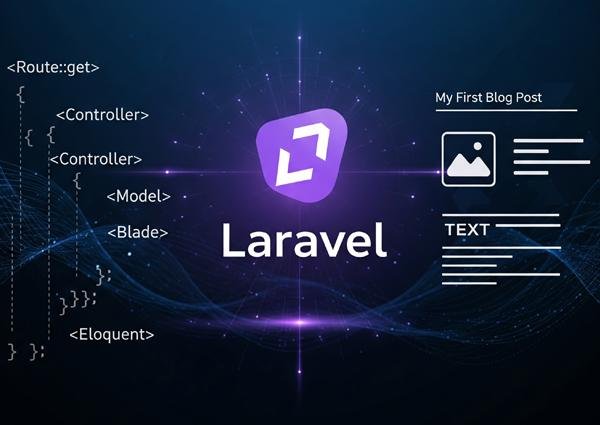
Laravel is a powerful PHP framework known for its elegant syntax and robust features, making web application development a joy. If you're new to Laravel or want to solidify your understanding, one of the best ways to learn is by building a real project. In this guide, we'll walk through the process of creating a simple but fully functional blog from scratch. By the end, you'll have an application that can create, read, update, and delete posts (CRUD functionality).
Prerequisites Before we begin, make sure you have a basic understanding of PHP and have a local server environment (like XAMPP or Valet) and Composer installed on your machine.
Step 1: Setting Up Your Laravel Project
First, let's create a new Laravel project using Composer. Open your terminal and run the create-project command. This will download the Laravel framework and all its dependencies into a new folder called my-blog.
composer create-project laravel/laravel my-blog
Once the project is created, navigate into the directory (cd my-blog). The next crucial step is to connect your application to a database. Open the .env file in your project's root directory and update the database credentials (DB_DATABASE, DB_USERNAME, DB_PASSWORD) to match your local setup.
Step 2: Creating the Database Structure
We need a table in our database to store the blog posts. Laravel's migration system makes this incredibly easy and manageable. We'll create a Post model to interact with our data and a migration file to define the table structure, all with a single command:
php artisan make:model Post -m
This command creates a Post.php file in the app/Models directory and a new migration file in database/migrations. Open that migration file and inside the up() method, we'll define the columns for our posts table, such as a title and a body.
PHP
Schema::create('posts', function (Blueprint $table) {
    $table->id();
    $table->string('title');
    $table->text('body');
    $table->timestamps();
});
With our structure defined, we can now create the table in the database by running the migrate command: php artisan migrate.
Step 3: Defining Routes and the Controller
Routes are the endpoints or URLs of our application. We'll define all the necessary URLs for our blog (like viewing all posts, creating a new one, etc.) in the routes/web.php file. A resource route is a convenient way to create all the standard CRUD routes for a controller.
Route::resource('posts', PostController::class);
This single line connects the /posts URL and its variations to a PostController, which we will create next. This controller will contain all the logic for handling requests related to our blog posts. Let's generate it with the --resource flag to automatically create all the necessary methods.
php artisan make:controller PostController --resource
Step 4: Building the User Interface with Blade Views
Now it's time to build what the user will see. In the resources/views directory, create a new folder named posts. Inside this folder, you will create Blade template files for each action: index.blade.php to show all posts, create.blade.php for the creation form, edit.blade.php for the update form, and show.blade.php to display a single post.
Within these files, you can write standard HTML mixed with Blade's simple syntax to display data and create forms. For example, in index.blade.php, you'll loop through the posts sent from the controller to display each one.
Step 5: Implementing the Application Logic
The final step is to add the logic to our PostController.php file. Here, we'll write the code to interact with our Post model and the database. The index() method will fetch all posts, the store() method will validate and save new posts, the update() method will modify existing posts, and the destroy() method will delete them.
For instance, to show all posts, your index method would look like this:
PHP
public function index()
{
    $posts = Post::latest()->get();
    return view('posts.index', compact('posts'));
}
Congratulations! You've just built a complete blog application with Laravel. This project covers the fundamental concepts of the framework, from database migrations to routing and views. From here, you can expand on this foundation by adding features like user authentication, comments, and categories to further enhance your skills.